
Advantages of Using Photoshop Shadow Creation
Photoshop shadow creation is a crucial image editing technique that enhances the overall look, depth, and realism of product photos. Whether you're an eCommerce business owner, photographer, or graphic designer, utilizing shadow effects can elevate your visuals and improve engagement. In this article, we’ll explore the key benefits of Photoshop shadow creation and how it plays an essential role in boosting image quality and conversion rates.
What Is Photoshop Shadow Creation?
Photoshop shadow creation refers to the process of adding shadows to images using Adobe Photoshop. This technique makes flat images appear more natural and lifelike. Professionals typically apply natural shadows, drop shadows, reflection shadows, or custom shadows depending on the desired look and the product type.
1. Enhances Realism in Product Photos
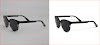
One of the biggest advantages of Photoshop shadow creation is its ability to create a realistic appearance in images. When you remove a product from its original background and place it on a white or transparent background, it often looks flat and artificial. By adding realistic shadows, you reintroduce depth and context, which significantly improves visual appeal.
For instance, natural shadows mimic real-world lighting conditions, making the product look grounded instead of floating.
2. Increases Click-Through Rates (CTR)
In eCommerce and digital marketing, visual aesthetics directly influence consumer behavior. Clean and professional images with well-applied shadows can increase click-through rates by drawing the viewer’s attention. When shoppers see products that appear more lifelike, they’re more likely to click, explore, and eventually purchase.
3. Improves Overall Image Quality
Photoshop shadow creation plays a vital role in enhancing image quality. Flat images without shadows often lack character and fail to capture viewer interest. Adding shadows not only adds dimension but also highlights the product's shape and structure.
Whether you're displaying shoes, electronics, clothing, or furniture, adding shadows gives the images a polished and premium feel.
4. Builds Brand Consistency
Maintaining a uniform appearance across your product photos helps build a strong brand identity. Consistently using high-quality shadow effects across your catalog ensures your brand looks professional and trustworthy.
For example, eCommerce giants like Amazon and eBay have strict guidelines for product images, including the use of realistic drop shadows to maintain visual consistency. Photoshop allows brands to align with these standards.
5. Provides Versatility for Marketing Materials
Whether you're creating banner ads, social media posts, brochures, or product catalogs, shadow-created images offer greater flexibility in design. With clean, realistic shadows, your product photos can be placed on different backgrounds without losing authenticity or visual coherence.
This makes it easier to repurpose images across various marketing channels while maintaining high visual impact.
6. Reduces the Need for Expensive Photo Shoots
Shadow creation in Photoshop can save businesses from the high costs of re-shooting product images. Instead of renting a studio or using advanced lighting equipment, you can digitally add shadows that replicate professional lighting effects. This reduces overhead while still delivering studio-quality visuals.
7. Highlights Product Details
Shadows can be strategically used to bring attention to specific features of a product. For instance, a reflection shadow can enhance the look of glass, metal, or other shiny surfaces, emphasizing their texture and finish. Similarly, drop shadows can separate the product from the background, making it stand out more clearly.
This helps in showcasing intricate product details that might otherwise go unnoticed.
8. Optimizes Images for Online Platforms
Many online marketplaces and platforms favor high-quality images that adhere to specific standards. Using Photoshop to create shadows ensures that your images meet platform requirements while standing out visually. Shadows make products appear more clickable and professional on platforms like Shopify, Amazon, Etsy, or WooCommerce.
9. Enhances Mobile and Thumbnail Views
On mobile devices or when images appear as thumbnails, well-designed shadows help products pop. Flat images may blend into the background, especially on small screens. Shadows help distinguish the product, increasing visibility and appeal even at reduced sizes.
10. Elevates User Experience (UX)
An appealing user interface paired with clean and realistic imagery directly contributes to a positive user experience. Shadow-created images look better, load faster (when optimized properly), and enhance user satisfaction by making the interface feel more interactive and real. This can lead to better on-site engagement and improved customer retention.
Conclusion: Shadows That Make a Difference
Photoshop shadow creation is more than just an editing trick—it's a strategic enhancement tool that boosts product appeal, improves engagement, and strengthens brand identity. Whether you're a retailer looking to enhance product images or a photographer aiming for more impactful visuals, incorporating shadows into your images can make a world of difference.
Investing in professional shadow creation services can help your business stand out in a competitive digital landscape, attract more buyers, and ultimately drive conversions.


0 Comments